



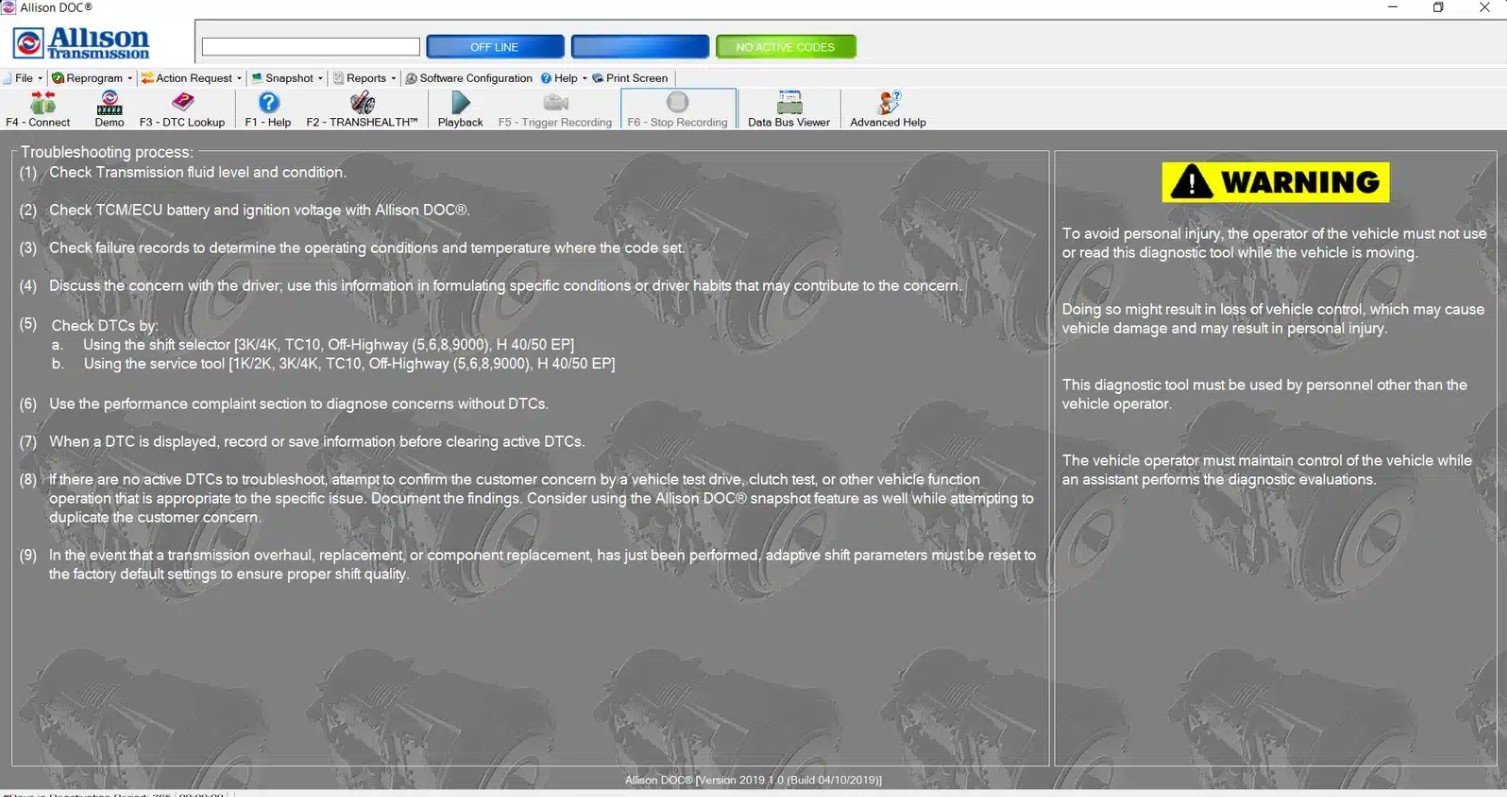

allison doc software 2019
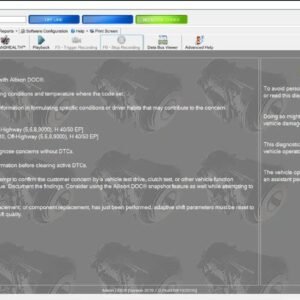
The allison doc software 2019 is the official diagnostic software for Allison automatic transmissions used in trucks, buses, construction machinery, and industrial vehicles. Released in 2019, this version continues to be efficient, reliable, and fully functional in 2023 and beyond.
Why is a version from 2019 still relevant? Because Allison’s transmission architecture evolves gradually rather than radically changing each year. The 2019 edition retains complete compatibility with the most widely used transmission families, including the 1000, 2000, 3000, 4000, TC10, and H 40/50 EP hybrid series. It also provides all the core functions professional technicians need: fault code reading, actuator testing, calibrations, and adaptation resets.
👉 This combination makes allison doc software 2019 an excellent option for workshops and fleets with tighter budgets, delivering factory-level diagnostic power at a significantly lower cost compared to newer releases.
The problem it solves
Without access to official Allison tools, workshops face numerous problems that lead to wasted time, inaccurate diagnostics, and unnecessary costs:
-
❌ Generic software cannot access TCM data. Most aftermarket tools only read basic OBD-level data and cannot communicate deeply with Allison’s Transmission Control Modules (TCMs).
-
❌ Limited information: Only fault codes appear, often without explanations, repair steps, or context.
-
❌ No adaptation reset: Inability to reset clutch fill times or adaptive learning leads to poor shift quality and reduced transmission performance.
-
❌ Non-official kits: Many unauthorized software versions crash, fail to connect, or suffer from blocked licenses, putting workshops at risk.
✅ With allison doc software 2019, these issues disappear. The program provides:
-
Full official coverage.
-
Built-in repair procedures.
-
Access to adaptation resets and calibrations.
-
A permanent license with no hidden costs.
Key features
-
✅ Read and clear DTCs: Fault codes with complete definitions, not just numbers.
-
✅ Live data monitoring: Transmission oil pressure, temperature, RPM, turbine speed, clutch states.
-
✅ Guided actuator tests: Solenoid buzz test, pressure tests, valve checks.
-
✅ Adaptive data: Monitor and reset adaptive learning for smoother shifts.
-
✅ Calibrations: Apply OEM-level calibrations to TCMs (online mode).
-
✅ PDF reports: Generate detailed reports for fleet records and customers.
-
✅ Offline & Online modes: Run basic diagnostics offline and perform calibrations online.
-
✅ User-friendly interface: Multilingual, intuitive, and designed for both beginners and experts.
👉 Despite being from 2019, this diagnostic software still delivers everything workshops need for professional transmission diagnostics.
Extended compatibility
Allison transmission families supported
-
1000 & 2000 Series: Common in light- and medium-duty trucks.
-
3000 Series: Found in buses, delivery fleets, and construction equipment.
-
4000 Series: Installed in heavy-duty trucks, refuse vehicles, and emergency services.
-
TC10 Series: Designed for commercial highway applications.
-
H 40/50 EP: Hybrid electric transit buses.
👉 These transmission families represent the majority of Allison units still active worldwide, showing why the 2019 software remains relevant and effective.
Fleet integration relevance
Allison transmissions are widely adopted across multiple brands, making the 2019 software vital for mixed fleets:
-
Freightliner, Kenworth, Peterbilt.
-
International/Navistar.
-
Volvo and Mack vocational trucks.
-
Blue Bird, New Flyer, Gillig buses.
-
Construction and mining vehicles equipped with Allison transmissions.
👉 For workshops that deal with diverse fleets, allison doc software 2019 simplifies diagnostics by unifying them into one tool.
System coverage
-
Fault codes: Full reading and clearing with detailed explanations.
-
Live data: Oil pressure, temperature, turbine speed, gear states.
-
Adaptations: Reset clutch fill times, relearn shift adapts.
-
Tests: Solenoid buzz test, clutch pressure tests.
-
Calibrations: OEM-level TCM reprogramming where available.
📌 Offline mode → DTC reading, live data monitoring, actuator tests.
📌 Online mode → Calibrations, advanced adjustments, firmware updates.
Why the 2019 version remains efficient
Many technicians ask: “Why use the 2019 version instead of upgrading to the latest?” The answer lies in coverage, stability, and cost-effectiveness:
-
Coverage: The 2019 edition includes full support for the most common Allison families still in service today.
-
Stability: Years of proven use with consistent, reliable performance.
-
Cost efficiency: Significantly more affordable than newer versions, making it a smart investment for budget-conscious shops.
-
Compatibility: Works with modern laptops and datalink adapters without demanding extreme system requirements.
👉 In other words, if your fleet operates standard Allison transmissions, the 2019 edition is still more than enough.
Cables and compatibility tools
To ensure smooth communication with TCMs, allison doc software 2019 requires:
-
Allison-approved USB/OBD-II diagnostic cable.
-
J1939/J1708 datalink adapters (e.g., Nexiq USB Link, DG Tech).
-
License dongle for activation.
-
Standard USB 2.0/3.0 ports.
💡 Tip: Keeping your datalink adapter firmware updated ensures stable connections and avoids diagnostic interruptions.
Comparisons and differentiators
allison doc 2019 vs generic diagnostic software
-
Deeper integration with Allison TCMs.
-
Factory-level reset and calibration functions.
-
Built-in troubleshooting guides.
allison doc 2019 vs non-official kits
-
Permanent license with no lockouts.
-
Guaranteed compatibility with official TCM updates.
-
Reliable technical support options.
allison doc 2019 vs newer versions
-
Same coverage for main transmission families.
-
Lower cost, ideal for workshops with tighter budgets.
-
Still fully reliable, with stable performance proven over years.
👉 Unless you specifically need the newest firmware support, the 2019 edition remains a cost-effective and efficient solution.
Technical documentation & workflow
Built-in fault code database
-
Read and store the fault code.
-
Check relevant live data.
-
Perform actuator or solenoid tests.
-
Apply the recommended repair.
-
Clear the fault and road test the vehicle.
Best practices
-
Maintain stable battery voltage during diagnostics.
-
Save before/after screenshots for records.
-
Confirm TCM model and calibration ID before performing updates.
Technical and environment requirements
Minimum
-
Windows 10/11 (64-bit).
-
Intel i5 processor.
-
8 GB RAM.
-
20 GB free storage.
Recommended
-
Windows 11 Pro.
-
Intel i7.
-
16 GB RAM.
-
256 GB SSD.
👉 These modest requirements mean the 2019 version runs perfectly on standard laptops without additional investment.
Installation and support
📥 Instant download after purchase.
🖥️ Remote installation via TeamViewer, ensuring correct setup.
📞 Direct support for compatibility checks and troubleshooting.
Purchase considerations
-
Permanent license included.
-
Fully functional and reliable in 2023 and 2024.
-
Lower cost makes it ideal for budget-conscious workshops.
-
Proven stability and efficiency.
👉 Buying allison doc software 2019 means choosing reliability, cost savings, and professional diagnostic power.
Call to Action (CTA)
👉 Buy allison doc software 2019 today – efficient, affordable, and fully functional for Allison transmissions.



Reviews
There are no reviews yet.